
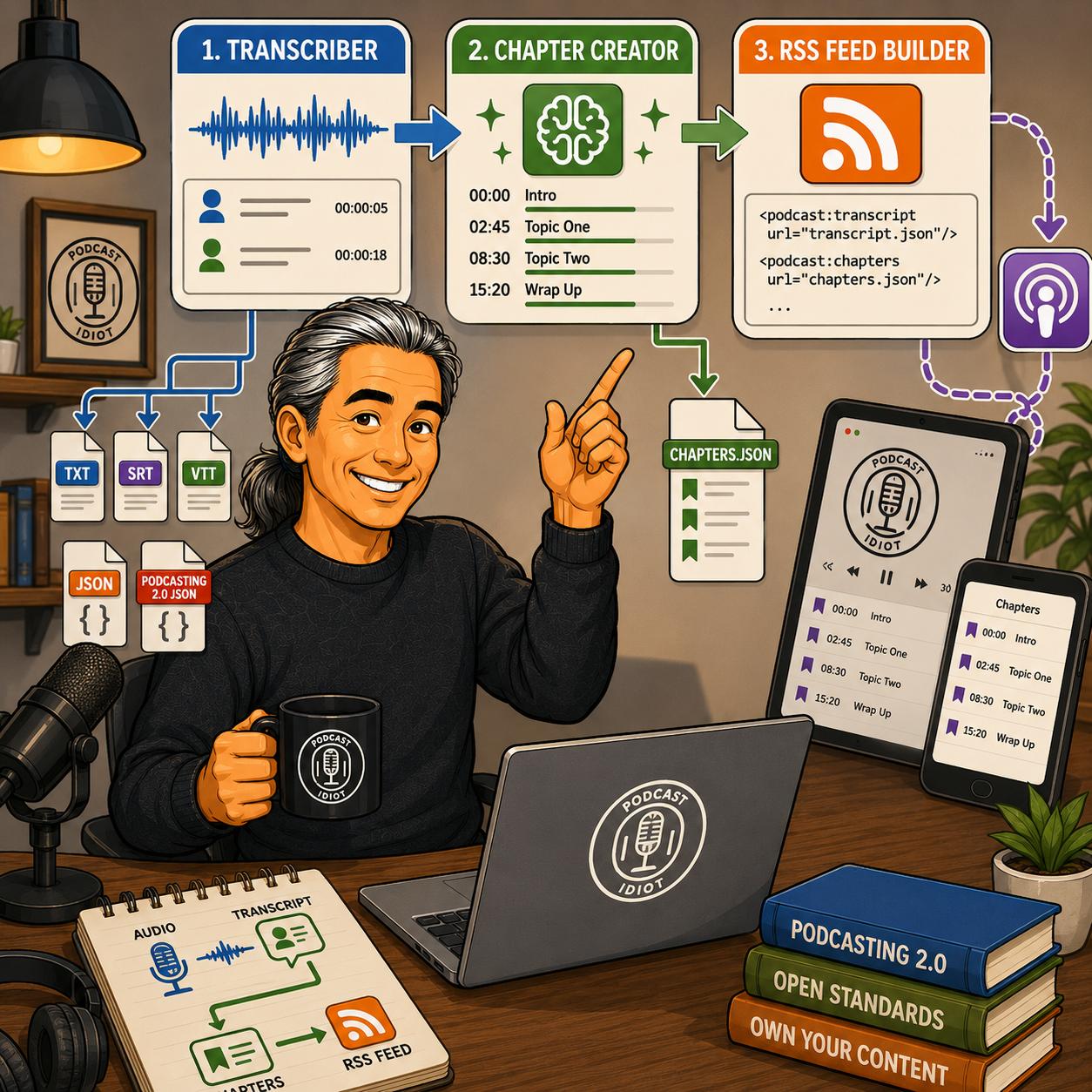
I built two more tools for my podcasting workflow, and they complete the process that starts with my RSS builder. The Podcast Idiot Transcriber turns an audio file into a transcript on your own computer, with no cloud service and no monthly fee. The Podcast Idiot Chapter Creator takes that transcript and turns it into a Podcasting 2.0 compatible chapters file using AI. Both came together through conversation with Claude, the same way the RSS feed builder did.
Here’s the Podcast Idiot Transcriber
Here’s the Podcast Idiot Chapter Creator
I built the Transcriber first. Once I had transcripts coming out the other end, the obvious next step was chapters, so the Chapter Creator picks up exactly where the Transcriber leaves off. I run my own episodes through this pipeline now: audio into the Transcriber, transcript into the Chapter Creator, and the resulting files into the RSS Feed Builder I wrote about last time.
Listen to this episode here
The Transcriber
The Podcast Idiot Transcriber is a desktop app, not a web page like the RSS builder. It runs on Windows, macOS, and Linux, and it uses OpenAI Whisper to do the actual transcription work. Whisper runs entirely on your own machine, so your audio file never gets uploaded anywhere and you never pay a subscription or API fee for it.
The installer handles Python and ffmpeg for you and downloads the Whisper model the first time you run it. After that one-time setup, the whole thing works offline. You pick an audio file, choose a Whisper model size, and hit Transcribe.
Whisper comes in five model sizes, from tiny up to large. The app defaults to the base model, which is a solid balance of speed and accuracy for most podcast audio. The tradeoff is that bigger models take longer but catch more, especially on noisy audio or unusual words. If you have an NVIDIA, Apple Silicon, or AMD GPU, the app detects it and uses it automatically, which cuts transcription time dramatically compared to running on a CPU alone.
The app also does speaker diarization, meaning it can tell different voices apart and label them in the transcript. Diarization uses a library called pyannote.audio, which requires a free Hugging Face account and a token. It’s a two minute setup, and you can also skip it entirely if you just want a plain transcript without speaker labels.
Output comes in five formats: plain text, SRT and VTT for captions, JSON with full timestamp data, and a Podcasting 2.0 JSON format built for the <podcast:transcript> tag in an RSS feed. You can generate all five in one pass or just pick the ones you need.
Get the podcast idiot podcast player

The Chapter Creator
Podcasting 2.0 chapters let listeners jump to specific sections of an episode right inside their podcast app. Apps like Overcast, Pocket Casts, Fountain, and my own Podcast Idiot Podcast Player PWA all support them. Chapters live in a JSON file on your server, referenced from your RSS feed with a single <podcast:chapters> tag, which the RSS Feed Builder can add automatically.
Writing chapter markers by hand requires scrubbing through your episode and guessing where the topic shifts happen. The Chapter Creator skips that step. You upload a transcript, in SRT, VTT, TXT, or JSON format, and an AI model reads the timestamps and picks out the major topic changes on its own.
The tool works with Claude, ChatGPT, or Gemini. If you have an API key for any of the three, you paste it in, the tool calls the API directly, and chapters come back in a few seconds. The key goes straight to the provider and isn’t stored anywhere by the tool itself.
If you don’t have an API key, there’s a fallback built into the same page. The tool generates a prompt for you, customized with your episode title, podcast name, and chapter count, and you copy that prompt into a free Claude.ai, ChatGPT, or Gemini chat along with your transcript file. The AI in that chat window does the same job and hands back the same JSON.
Once chapters come back, whichever path you used, you get an editable list. Each chapter shows its timestamp and a title you can adjust by hand before downloading. The output is chapters.json, formatted to the official Podcasting 2.0 chapters spec, ready to upload to your server.
How it fits together
These two tools plus the RSS Feed Builder cover the full pipeline now. Record your episode, that audio goes into the Transcriber and comes out as a transcript. The transcript goes into the Chapter Creator and comes out as a chapters file. Both the transcript and the chapters file get referenced from the RSS feed using the RSS Feed Builder. None of it requires a server, a subscription, or sending your files to someone else’s cloud, aside from the optional AI API call for chapters.
Like the RSS builder, every feature in both tools was specified in plain language and built through conversation with Claude.
Leave a Reply