
For the last year or so I’ve been trying to build my own podcast RSS feed creator/editor using various AI tools. None of them could figure out how to do what I was asking. My background is in computer science but I have never written code professionally and the last time I wrote code that worked was in college. I’m old, 59 years old, so college what quite some time ago.
I understand programming, and markup languages conceptually. I just suck at writing and debugging them. I don’t have the patience. So when consumer grade AI came along I kept fiddling with it. It’s what all the kids today call vibe coding I guess. The result is pretty slick I think and it all runs in the browser using a single html file.
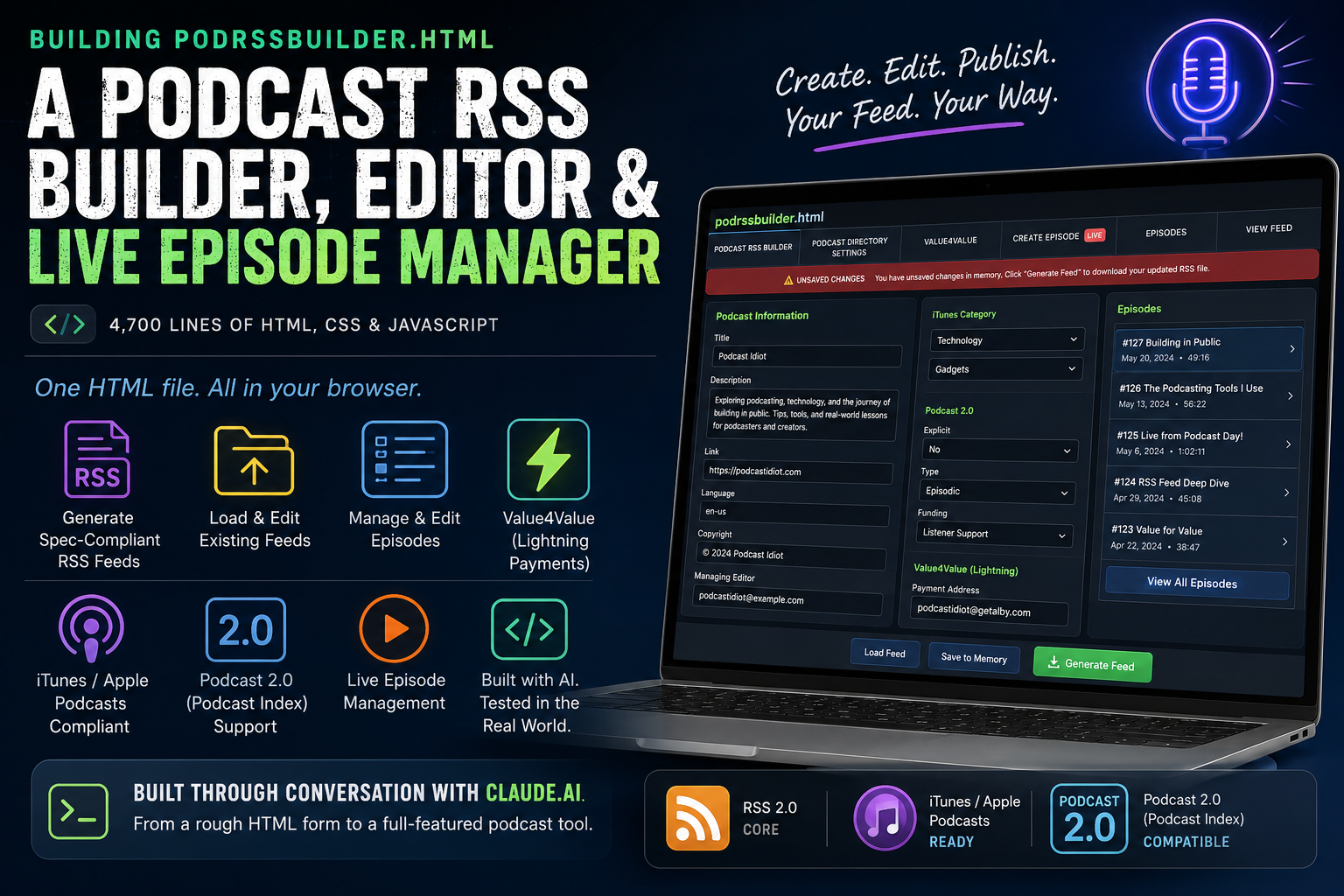
The podcast RSS feed creator/editor is not-so-creatively called podrssbuilder.html and Claude.ai was the development tool. The project started with a rough HTML form and ended up as a 4,700-line, spec-compliant RSS feed builder, editor, and live episode manager. All of it was built through conversation with Claude… including this blog post. I even used Claude to create an instruction web page on how to use the form. I’m amazed this works.
Here’s a link to the deployed version of the Podcast RSS Feed Creator/Editor
Here’s how it came together.
Starting Point
The base was an HTML file that collected podcast metadata. The goal was to turn that form into a tool that could generate a valid podcast RSS XML file.
Here’s the first iteration of the RSS Builder
Podcast RSS has multiple standards. A complete feed has to satisfy three namespaces at once: core RSS 2.0, the iTunes/Apple Podcasts namespace, and the modern Podcast 2.0 namespace from the Podcast Index. My form needed to handle all three.
Here’s the first major version where I felt I’m getting somewhere
iTunes Categories
The first fix was replacing a plain text input for iTunes category with a proper dropdown. Apple Podcasts has 19 fixed top-level categories, many with their own subcategories. Claude built a dynamic dropdown system where selecting a category instantly updates the subcategory list.
The subcategory dropdown didn’t work on the first pass. The bug was an & mismatch — the HTML option values used the entity & but the JavaScript lookup object used literal &. When the browser reads an option’s .value, it returns the literal character, so the lookup failed silently.
When I thought some subcategories were missing, Claude searched Apple’s official documentation. The list was correct. The subcategory I was thinking of — Podcasting under Technology — was removed by Apple in 2019.
Here is a version in the middle where the UI is tweaked to be far more pleasant
Generating the Feed
The core feature was the Generate Feed button: collect all form values and produce a downloadable RSS XML file with proper namespace declarations.
Before creating that, Claude audited the form for spec compliance and caught several problems:
itunes:keywordsanditunes:subtitlewere deprecated by Apple in 2019podcast:lockedandpodcast:podpingwere outputting on every feed because their dropdowns defaulted to a value — they should only appear when explicitly set by the userpodcast:fundingwas outputting as a self-closing tag with no text content — the spec requires a human-readable label as the element’s textpodcast:mediumwas a free text field but has a fixed set of valid values
All of those were fixed before the generate function was wired up. The output passed validation.
Here is the current working version of the RSS Builder
Tabbed Interface
As the form grew, a single scrolling page stopped being workable. The form was reorganized into tabs. The final structure has six:
- Podcast RSS Builder — core RSS channel fields
- Podcast Directory Settings — iTunes and Podcast 2.0 channel metadata
- Value4Value — Lightning payment configuration
- Create Episode — episode item fields (with a sub-tab for live episodes)
- Episodes — browse episodes from a loaded feed
- View Feed — the raw XML viewer
Loading Existing Feeds
The form can load and parse existing RSS feeds from a local file or a URL. Loading a feed populates all channel-level fields, extracts every episode into the Episodes tab (most recent first), and stores the raw XML in memory for editing.
URL loading immediately hit the CORS problem. Browsers block JavaScript from fetching cross-origin resources unless the server sends the right headers. Most podcast hosting platforms allow it; self-hosted WordPress sites typically don’t. All my sites are WordPress sites. When a fetch fails, the form pops up a modal with exact fix instructions for Apache (.htaccess), Nginx, and WordPress — including a functions.php snippet that came out of real-world testing on a WordPress site that had no functions.php file at all.
In testing I found a problem where the browser cached the feed so even if I updated it and uploaded the new feed the browser loaded the old feed into the form. Now, URL fetches append a timestamp parameter (?_cb=...) and set cache: 'no-store' to bypass browser and CDN caching, so the form always gets the current version of a feed.
Episodes Tab
The Episodes tab is a read-only browser for episodes in a loaded feed. Each episode row shows the title, pub date, and formatted duration. Clicking a row expands it to show the full episode metadata. A play button loads the enclosure URL into a native HTML5 audio player inline in the card. Starting one episode stops any other that’s currently playing.
Editing Episodes
The edit workflow is built around editing multiple episodes before downloading anything:
- Click Edit on any episode in the Episodes tab
- All that episode’s fields load into the Create Episode tab
- Make changes, then click Save to Memory — this updates the feed XML in memory and refreshes the View Feed tab, but doesn’t download anything
- Edit as many episodes as needed
- Click Generate Feed when ready to download the full updated feed
An Unsaved Changes banner appears across the top of the tab bar whenever there are in-memory changes not yet downloaded. It stays visible on every tab until the feed is generated.
Value4Value
The Value4Value tab implements the Podcast Index V4V specification for Lightning Network payments in podcast feeds.
At the channel level: podcast:value (payment type, method, suggested amount) and a dynamic list of podcast:valueRecipient entries — each with a name, node address, payment split percentage, custom key/value pairs, and a fee flag.
At the episode level: the same recipient structure, plus podcast:valueTimeSplit — used to redirect a portion of payments to a different feed during a specific time window, such as crediting a guest’s feed during their segment.
View Feed Tab
The View Feed tab shows the current in-memory feed as formatted XML. Features:
- Auto-formatted with 2-space indentation on tab open
- Resizable textarea (both directions) with the container expanding to match
- Find in Feed: search by term, navigate matches with arrow buttons, current match highlighted in the line number gutter
- Top of Feed button
- Copy to Clipboard
- Download the current feed
- Edit mode for direct XML editing
Live Episodes
The podcast:liveItem tag is the Podcast 2.0 standard for live streaming. It gets its own sub-tab inside Create Episode. The live episode form covers stream status (Pending / Live / Ended), the podcast:liveValue block (URI and protocol), scheduling with auto-calculated end time from an estimated duration, persons, Value4Value recipients, funding, and location.
When a loaded feed contains a podcast:liveItem, a pulsing red ● LIVE badge appears on the sub-tab.
WYSIWYG Description Fields
RSS description fields support a limited subset of HTML. All four main description fields were replaced with WYSIWYG editors with a toolbar covering bold, italic, bulleted list, numbered list, link, and clear. Content is output in <![CDATA[...]]> blocks in the XML.
Tracking down the double-encoding bug took some work. When a previously generated feed was reloaded, descriptions were displaying as <p> instead of rendered text. The problem ran through three layers: getTagText was stripping CDATA markers, wySetContent was receiving already-encoded HTML, and buildUpdatedFeed was running the content through the x() XML-escape function a second time. The fix was making buildUpdatedFeed use CDATA for description fields, the same way buildNewFeed already did.
Other UX Details
- Thumbnail previews next to all image URL fields, loaded on blur
- Live character counters on description fields with Apple’s 4,000-character limit marked
- Required field indicators
- Placeholder text on all major fields
- Copy buttons to avoid re-entering the same content (podcast description → iTunes summary, channel persons → episode persons, etc.)
- Dynamic podroll list with add/remove, parsed from loaded feeds
- Dynamic person lists at channel, episode, and live episode levels with expandable detail cards
- Next buttons at the bottom of each tab
- Floating Generate Feed button fixed to the bottom-right corner, visible on every tab
- Last Updated Date auto-updates when the feed is regenerated
- Setting an episode publication date automatically updates the channel-level dates
How It Was Built
Every feature in this tool was specified in plain language and implemented through conversation. No local environment, no file switching, no copy-paste between tools. Changes were made, tested against real feed files, and iterated on in the same session.
The result is a standalone HTML file — no server, no dependencies — that handles RSS 2.0, iTunes, Podcast 2.0, Value4Value, and live episodes.
Hapa Feeds is a single HTML file. It runs in any modern browser with no installation required.
Leave a Reply